
AI-Powered Anki Deck Improvement
Batch process your flashcards with AI. Review suggestions, accept or reject with one click, and watch your decks improve.
Why I Built This
I use Anki daily for language learning, but my decks accumulated thousands of cards with inconsistent formatting, typos, and room for improvement. Fixing them manually? Tedious. So I built AnkiDeku to let AI do the heavy lifting while I stay in control of every change.
Features
Batch AI Processing
Process entire decks at once. Describe what you want improved and let AI analyze every card.
Side-by-Side Diffs
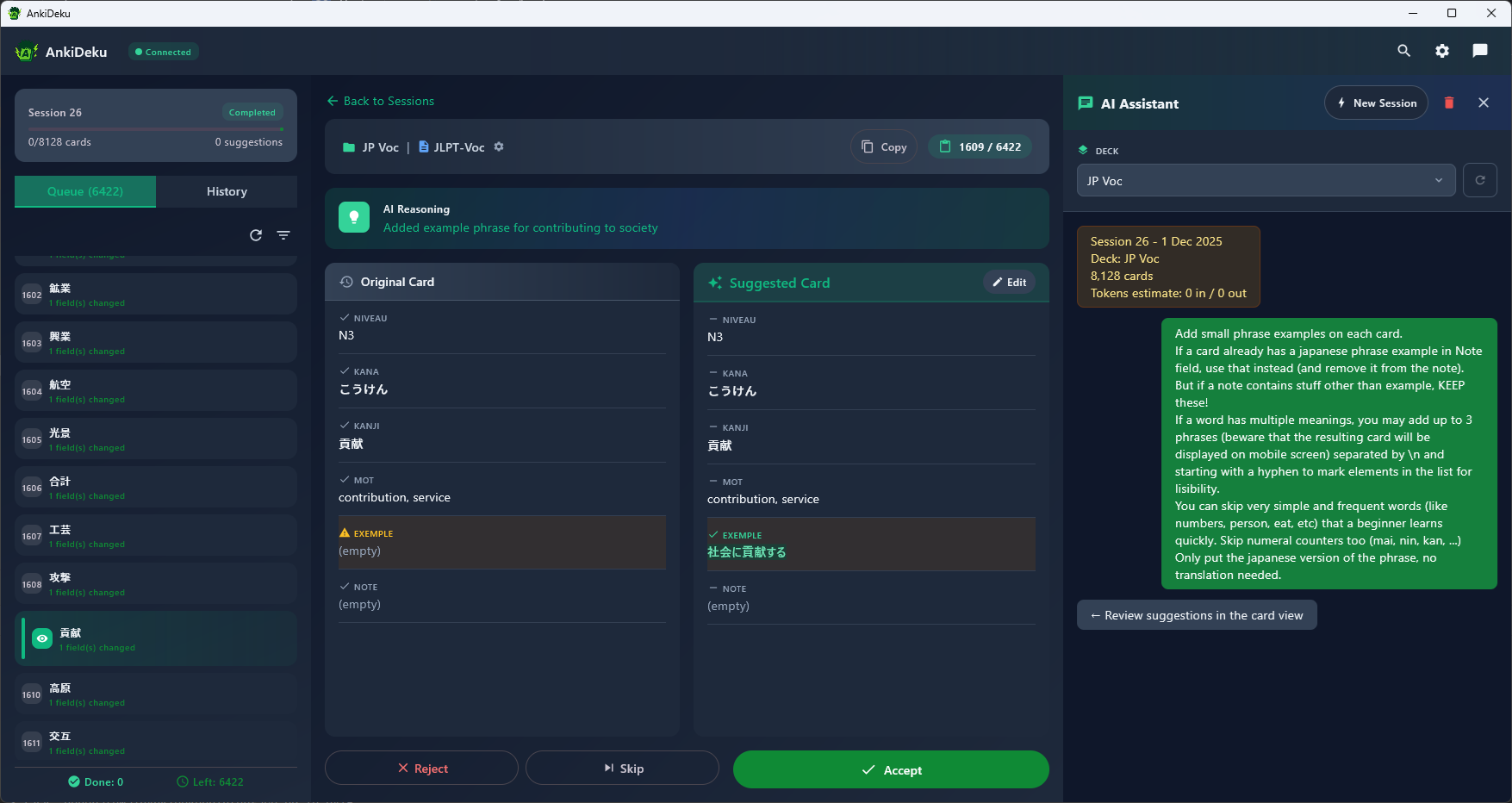
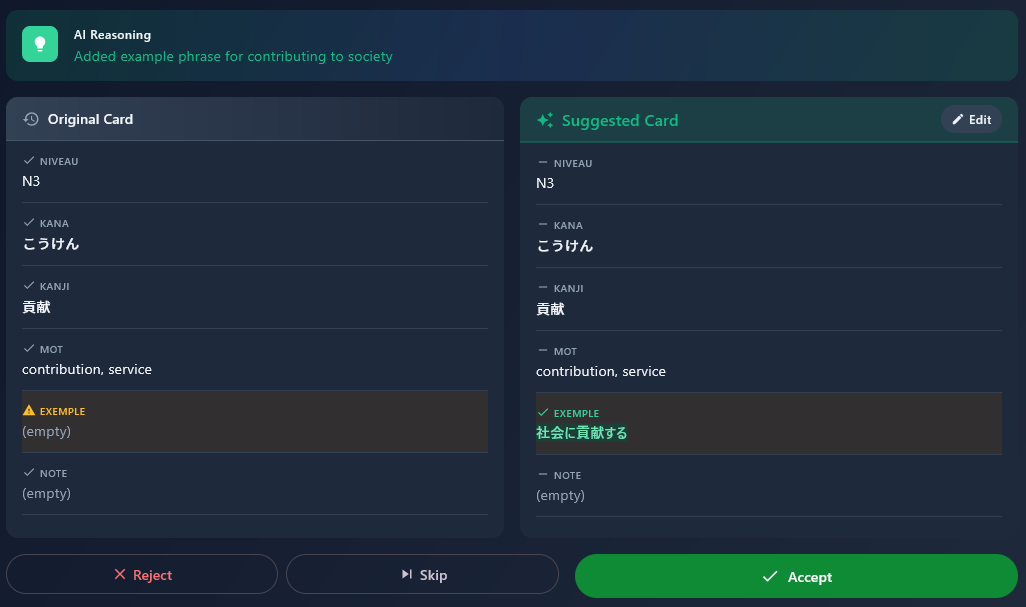
See exactly what changed with character-level highlighting. Red for removed, green for added text.
Accept / Reject / Skip
Stay in control. Review each suggestion, edit if needed, then accept, reject, or skip for later.
Session History
Track all your decisions. Search through past sessions and review what you accepted or rejected.
Direct Anki Integration
Changes apply immediately to Anki via AnkiConnect. No export/import dance required.
Smart Filtering
Filter suggestions by status, session, or content. Batch accept or reject matching items.
How It Works
Select a Deck
Launch AnkiDeku with Anki running. Pick a deck from the sidebar and sync it to load your cards.
Describe Your Request
Write a natural language prompt like "Fix typos and improve grammar" or "Standardize formatting across all cards".
Review Suggestions
AI processes your cards in batches. Suggestions stream in with diffs showing exactly what would change.
Accept or Reject
Go through each suggestion. Accept to apply the change to Anki, reject to discard, or skip for later.
Download
Free and open source. Available for Windows, macOS, and Linux.
Requirements
Anki + AnkiConnect
Install Anki Desktop and the AnkiConnect addon (code: 2055492159). Anki must be running when you use AnkiDeku.
AI Provider
Currently supports Claude Code CLI. More providers coming soon.
Feedback & Contributions
AnkiDeku is open source and I welcome your input! Found a bug? Have a feature idea? Want to contribute code? Designers especially welcome too — not my strong suit.